> For the complete documentation index, see [llms.txt](https://support.suptask.com/llms.txt). Markdown versions of documentation pages are available by appending `.md` to page URLs; this page is available as [Markdown](https://support.suptask.com/working-with-tickets/for-agents-who-respond-and-manage-tickets/task-and-todo-lists.md).
# Task and Todo lists
Track tasks and todo's with and within tickets
### Task lists within a ticket
You can create effective task lists within a submitted ticket by utilizing custom fields within your form.
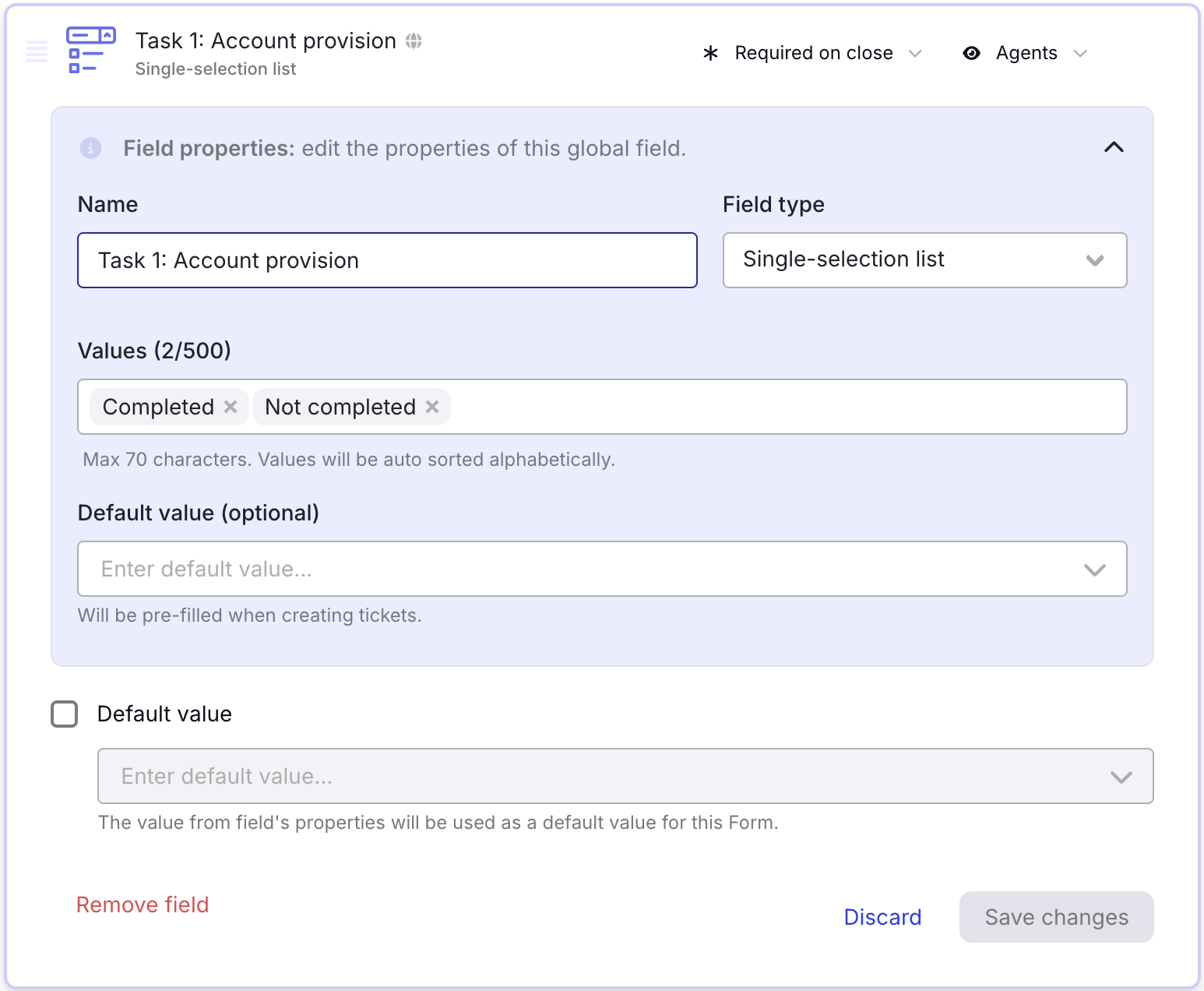
1. Create a new custom field with the field type *Single-selection field*
2. In the field, add the following values: *Completed* and *Not completed*
3. Name the task to *Task 1*
Add as many Task-fields as required. You can also adjust the values based on your needs.
#### Assign to Form
1. Add the fields to the Form where you want the task list
2. Select to display the field on the Form only for Agents
3. Select the field to be Required or Required on Close, which would force the Agent to fill in the field before the ticket can be closed.
These fields allow Agents to quickly assess the status of various tasks associated with a ticket. By configuring fields on the Form and making them visible only to the agent, you ensure a streamlined workflow where agents can update and track task progress without cluttering the end-user view.
{% hint style="info" %}
**Pro tip:** Set the field requirement on the form to "Required on close", which can force the Agents to fill in the field before being able to close the ticket.
{% endhint %}
***
### Recurring tasks
Do you have recurring tasks that happen daily or weekly? Suptask allow you to manage these by utilizing the integration with Slack Workflows.
Slack Workflow will trigger the task on a set frequency (daily, weekly etc) and Suptask will pick up the task from the channel and turn it into a ticket. Creating a recurring ticket for your task based on the set frequency.
#### How to set up recurring tasks with Suptask
1. Set up Suptask to enable automatic creation: [automatic ticket creation to Suptask using Slack Workflows](/integrations-automations-and-workflows/integration-guides/how-to-use-slack-workflows.md#prerequisites)
1. Only set up the first part related to the Suptask configuration.
2. Head over to Slack and configure a new Slack Workflow
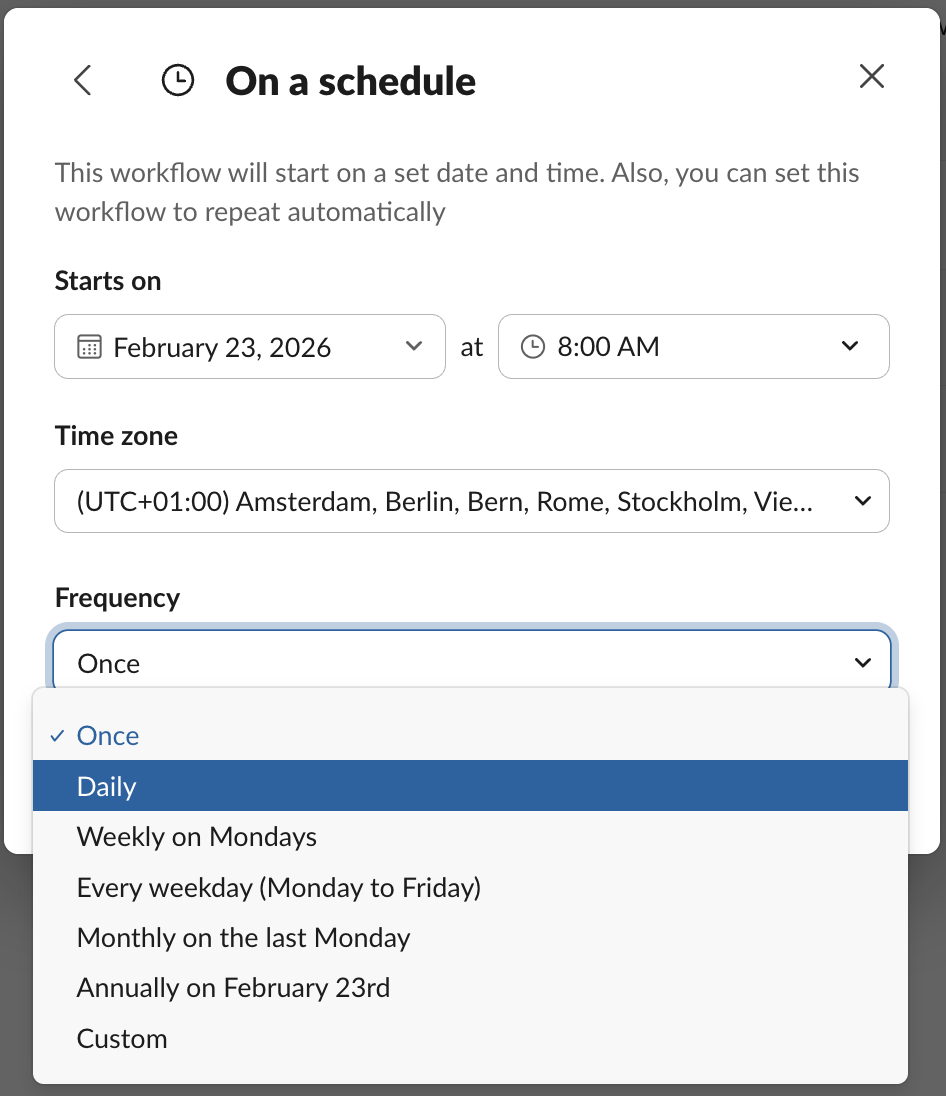
3. Select the trigger **On a schedule**
4. Select the **Frequency** that you would like to have on your task.
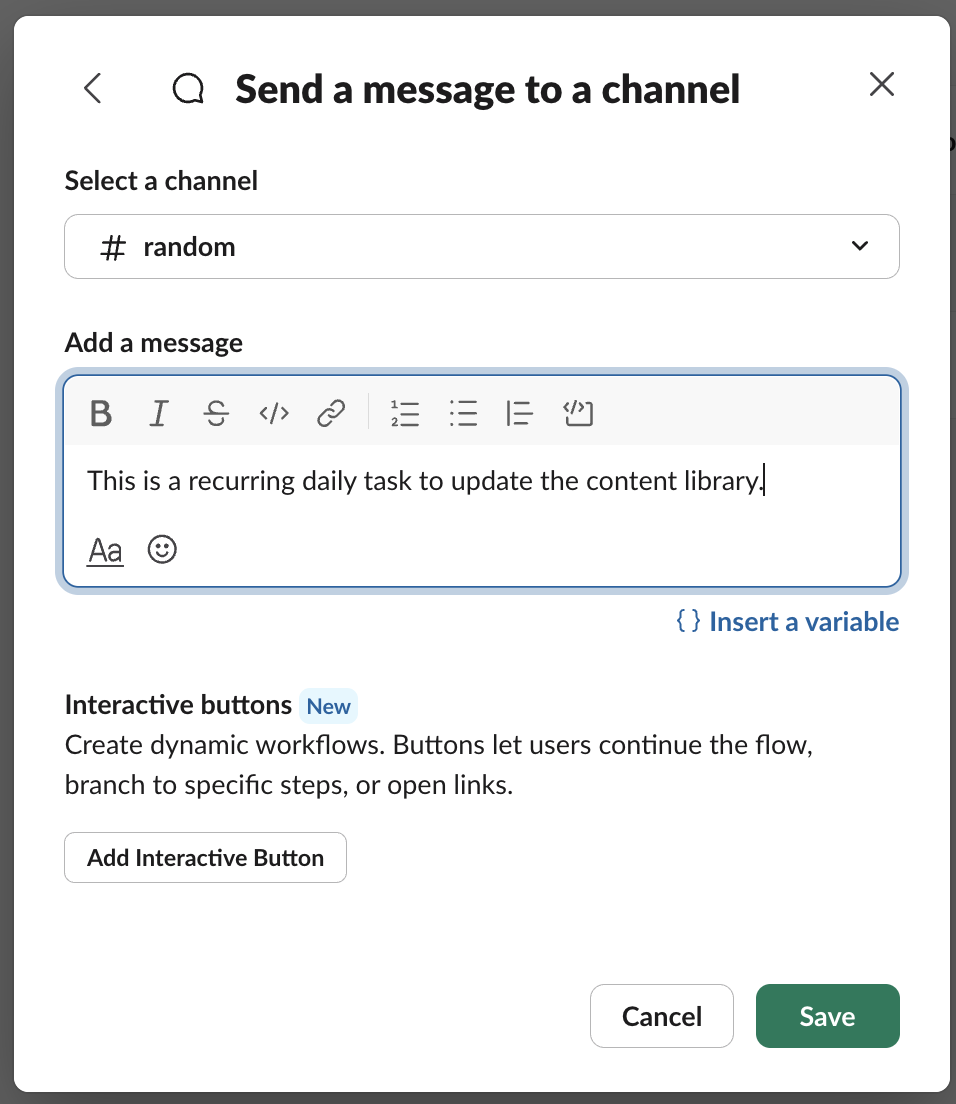
5. Now configure the second step of your Workflow to send the message to the configured channel in Suptask that is used for the Automatic ticket creation (from Step 1)
6. You can choose to [map any fields](/integrations-automations-and-workflows/integration-guides/how-to-use-slack-workflows.md#field-mapping-and-validation) between the Workflow and the Suptask ticket
7. Done!