> For the complete documentation index, see [llms.txt](https://support.suptask.com/llms.txt). Markdown versions of documentation pages are available by appending `.md` to page URLs; this page is available as [Markdown](https://support.suptask.com/setup-and-configure/forms-and-fields/conditional-selection-list.md).
# Conditional selection list
Create dynamic workflows for your users
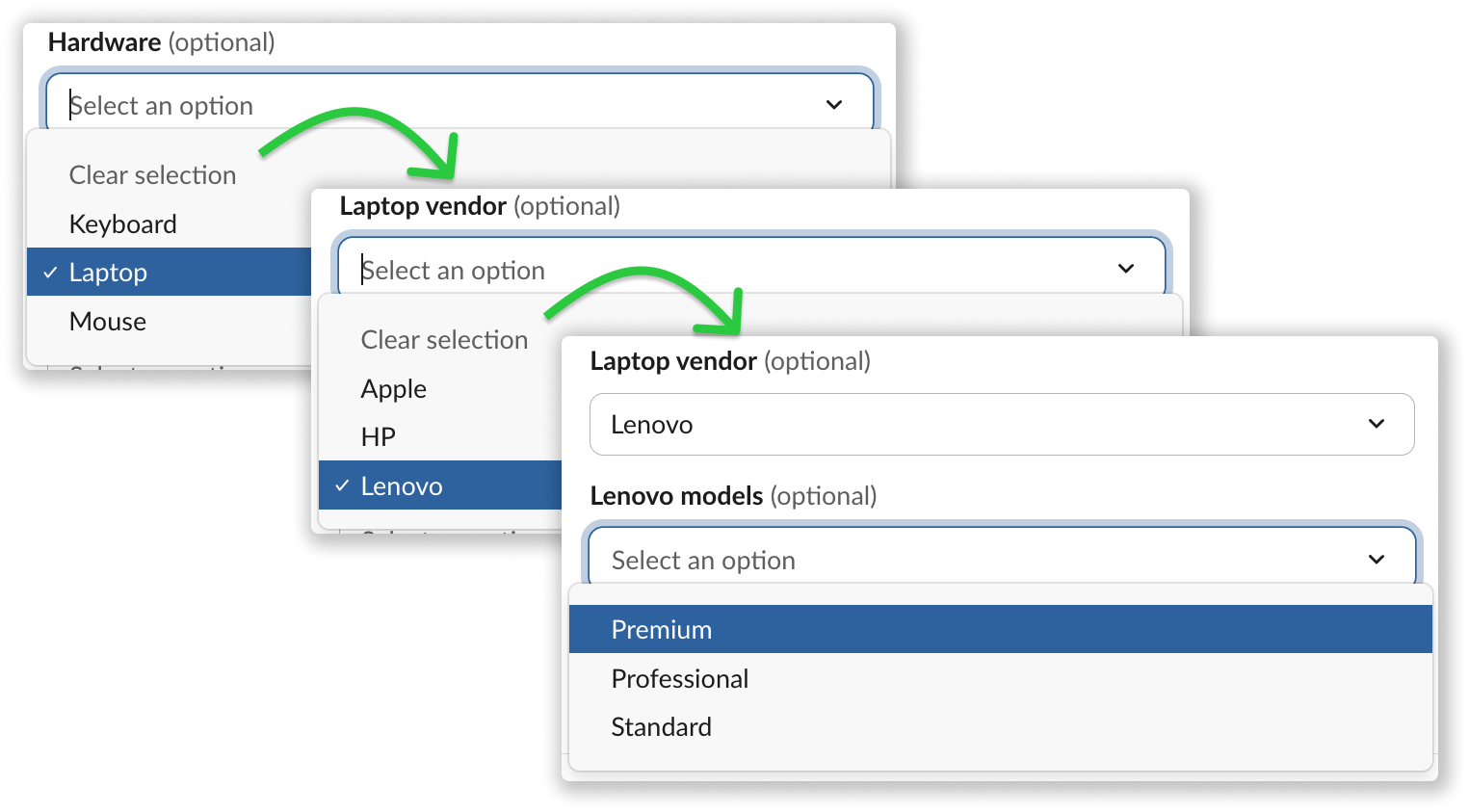
Conditional selection list is a Form field that enables dynamic, guided ticket submission through nested choices. Based on a user’s selection, relevant follow-up fields automatically appear, while irrelevant options stay hidden.
This creates clear, step-by-step workflows that adapt in real time, helping users provide the right information the first time and reducing back-and-forth for support teams working in Slack.
***
### How to set up
You can create your Conditional selection list fields when creating or editing a Form, or from the [Manage fields](https://app.suptask.com/inboxes/fields) page.
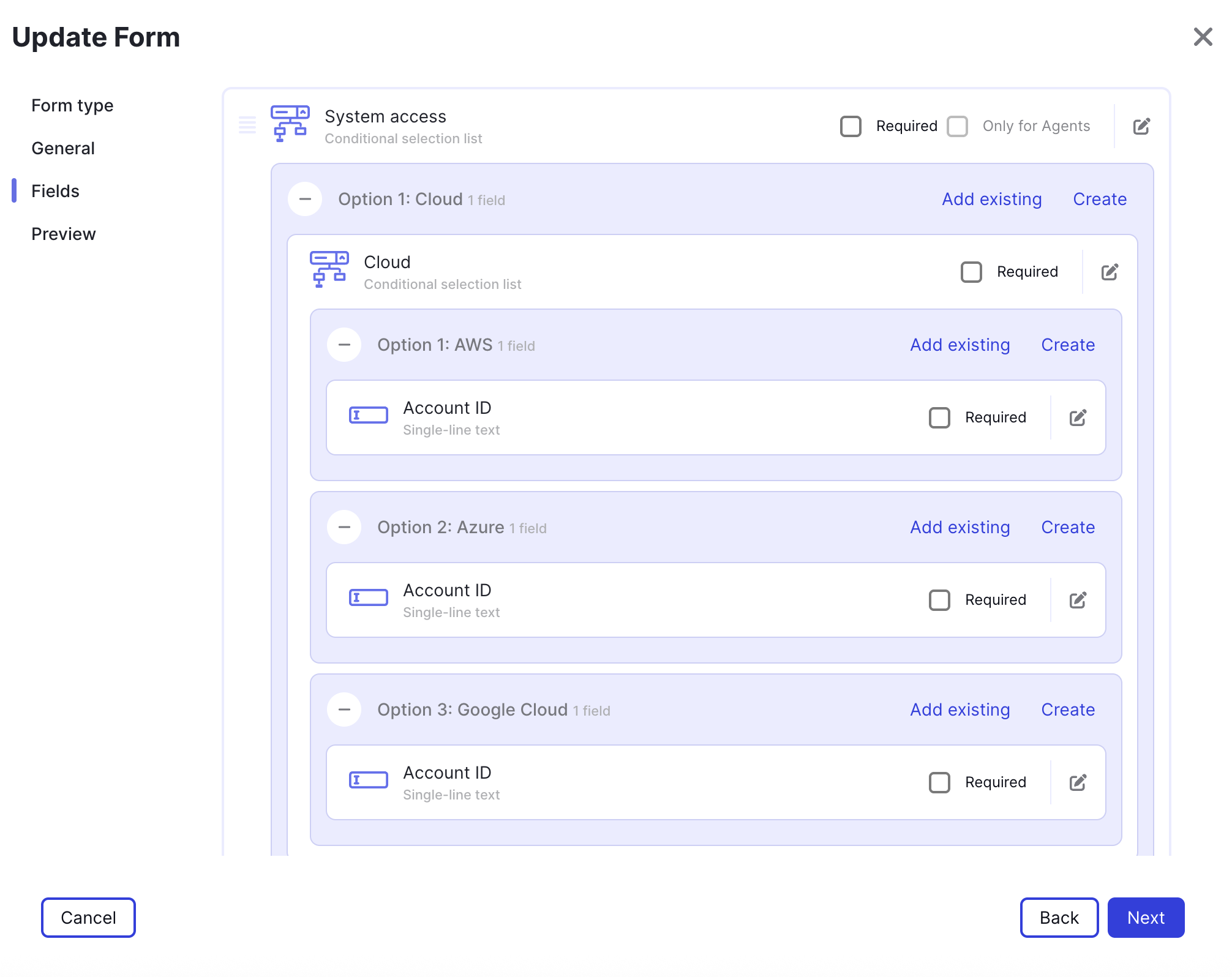
Within a Form you can set up multiple Conditional selection list fields that can be nested together, creating a workflow for users when submitting tickets.
1. Create a new Form or Edit an existing
2. On the Fields step, Create a new **Conditional selection list** field
3. Within the options you add to the list, additional fields can be added that will be displayed when the option is select.
1. Tips: Create additional Conditional selection lists and add them into options, enabling multiple levels of selections for users.
4. Save and preview the dynamic selections in Slack.
***
### Example of nested fields
Nested conditional selection list fields when editing a Form